Retro Study System

Slatify

Features How it works Chrome Extension
Neon note-taking for YouTube lectures

Turn lectures into a memory machine.

Slatify is built for people who want their YouTube study sessions to feel fast, visual, and impossible to forget. Capture timestamped notes, draw on the moment, grab screenshots, and sync the whole flow to the app.
3 capture modes
MAX focus energy
SYNC browser to app
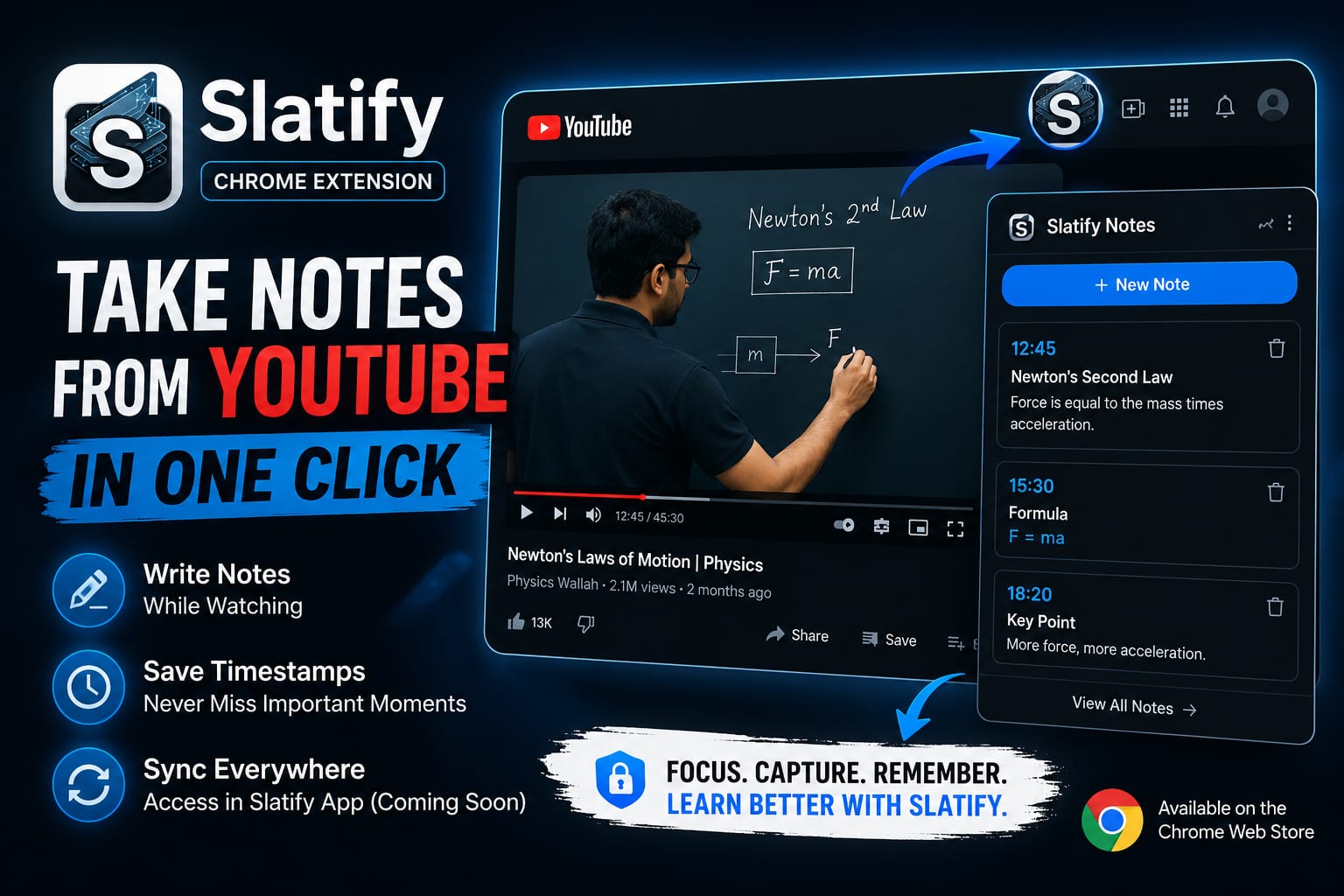
Slatify extension promotional artwork showing YouTube note-taking and timestamped capture.
Chrome extension • YouTube notes
Take notes from YouTube in one click Use the extension while you watch, then carry the study flow into the app.
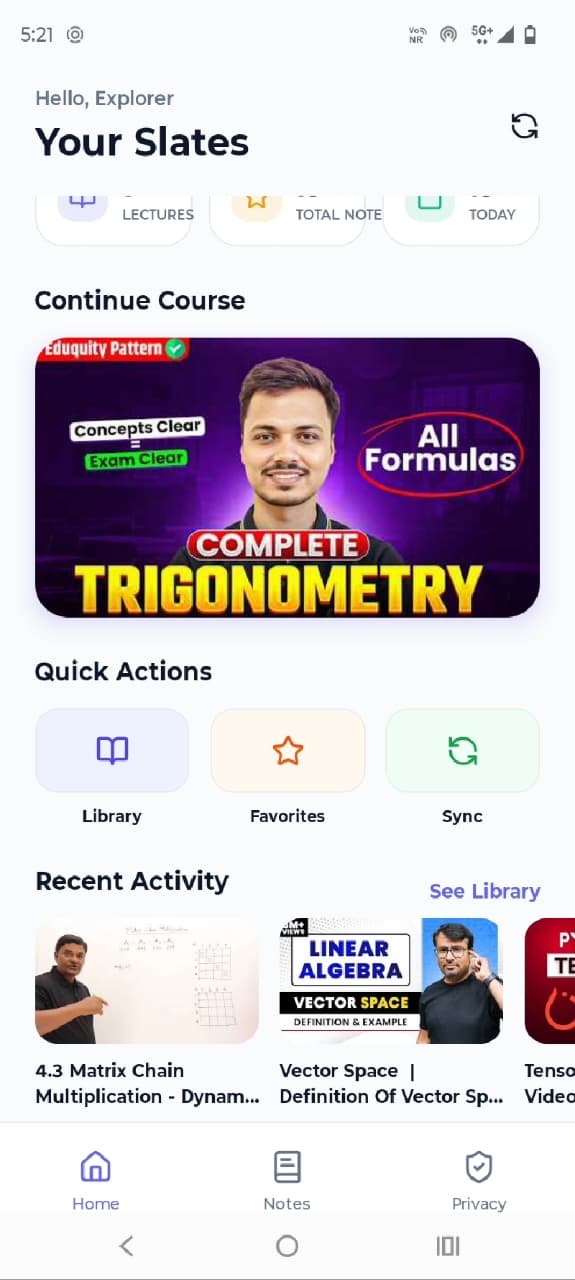
Slatify mobile app dashboard showing your notes, courses, and recent activity.
Slatify overlay toolbar with save and annotation controls.
Visual proof
Current mode

Chrome, phone, and overlay all in one story.

The promo art, app dashboard, and toolbar strip show the full loop: capture in the browser, organize in the app, and keep the tool in view while you work.

Timestamped notes
Screenshot capture
Drawing overlay
What the images prove

Slatify is a real workflow, not just a pretty concept.

The visuals show the extension in action, the mobile app as the home base, and the compact overlay as the fast capture layer.

Extensioncapture while watching
"Take notes from YouTube in one click."
Apporganized view
"Your slates live on the dashboard."
Timestamped notesRetro UI energyChrome extensionMobile app pairingScreenshot captureDrawing overlay Timestamped notesRetro UI energyChrome extensionMobile app pairingScreenshot captureDrawing overlay

Timestamped capture

Lock every thought to the exact frame that triggered it so your notes still make sense later.

Draw and highlight

Sketch emphasis straight over the video with a visual language that feels deliberate, not messy.

Screen grabs

Capture the slide, the diagram, or the exact visual clue that makes the lesson stick.

App sync

Move the study trail from browser to mobile so the momentum stays with you after you close the laptop.

How it works

Three moves. Zero clutter.

This is intentionally simple: watch, capture, sync. The experience is designed to feel like a neon command console for learning.

01Keep YouTube open and start taking notes right where the content is happening.
02Add screenshots, drawings, and timestamps so every note has context.
03Use the app to carry those notes into your phone and continue later.

Why it feels different

It looks like a retro arcade cabinet, but it behaves like a study weapon.

The visual direction is bold on purpose. Slatify should feel tactile, memorable, and a little bit magical so the study process has personality.

Built for fast capture while you keep watching.
Designed to be memorable enough to use every day.
Clear entry points for both the Chrome extension and the app.
